Building My Own Prompt Generator GPT
I love using Projects to organise my chats. Aside from the organisational aspects of Projects, it is such a powerful way to interact with ChatGPT because it allows you to add custom instructions and files specifically related to the project. This is very important as it provides context for the model, and context is key when interacting with Large Language Models.
Last weekend, I sat here trying to create the perfect custom project instructions and, despite my best efforts, I was not entirely satisfied with the output. I realised I was spending way too much time manually drafting custom instructions for my ChatGPT Projects. I kept running into the same problem: prompt structure. Then the penny dropped: I realised I could just use ChatGPT to help me build this, and so I built a Prompt Generator GPT. I worked iteratively with GPT-5, asking the model to ask me clarifying questions to help me design a prompt which will allow me to build project instructions for a wide range of subjects.
Here’s how it works, why I built it, and of course, I will share the final prompt. Lets get into it.
The Prompt Framework
As mentioned previously, context is key to building effective prompts. But creating prompts is not easy. There is a craft to it, and having watched and read a lot of tutorials about designing effective prompts, I settled on the following principles:
- Role: Defines the role/expertise the model should adopt.
- Goal: States the main outcome I want the model to deliver.
- Context: Provides background, audience, or purpose to frame the model’s response.
- Instructions: Outlines step-by-step guidance on how the model should approach the task.
- Examples: Supplies sample outputs or demonstrations to shape the model’s style and approach.
- Format: Specifies the structure for the response, such as lists, steps, tables, or narrative.
- Constraints: Lists the rules, limitations, or must-have conditions for the output.
- Tone: Defines the style or voice the response should use, e.g. formal, conversational, playful.
I should state that these are just principles, a prompting compass if you like. I do not use all of the principles in every prompt—it really depends on what outcome I am trying to achieve. I have got into the habit of keeping these in mind when I am prompting, and it has definitely helped me become more thoughtful about what I want to achieve and has helped me build better prompts. With that said, I am human, and I often do not get the prompt right first time around. This is where iteration is important: you have to keep working with the model until you get what you need.
The Idea: A Prompt Generator
Using the principles which I mentioned previously and through a lot of practice and experimentation, I am fairly comfortable building prompts, but I am certainly not an expert. I also find it exhausting sometimes trying to build the perfect prompt, and I have lost many hours to the process. This is where the idea of building a Prompt Generator arrived. My objectives were clear:
- Create a custom GPT designed to ask me smart clarifying questions about what I’m trying to achieve.
- Use my answers to generate a structured XML-style prompt template.
- Use the prompt template as custom instructions for my projects.
This way, I could ensure that my project instructions have a repeatable structure, regardless of the subject. Instead of reinventing the wheel each time, I’d have a reliable structure to work from. This consistency means that when I return to a project weeks later, I do not have to re-learn how I structured the instructions or worry about missing an important detail. It also frees me up creatively, since the framework handles the structure and I can focus on the actual content. In short, the Prompt Generator gives me a foundation that is predictable, reusable, and adaptable, no matter what topic I am working on.
The Design Process
By working with GPT-5 in an iterative manner, here is the step-by-step logic that we built into the Prompt Generator GPT:
- Confirm the subject that I want to work on.
- Ask smart questions to refine the purpose, goals, depth, tone, and any constraints.
- Present a set of preset teaching/explaining styles (like Feynman or Socratic) and help me pick one.
- Present a set of output formats (lists, steps, tables, etc.).
- Generate relevant examples if I have not supplied any.
- Apply base constraints: always factual, concise, British English.
- Build the XML prompt, only including tags that are needed.
- Show me the draft and ask if I want to tweak it further.
The Final Prompt
Here’s the final prompt I settled on. Since implementing this, I have generated some really useful custom instructions for my projects. Each project has a custom prompt which provides the necessary context and directs the model to produce the desired output. The cool thing about this Prompt Generator is that it is adaptable and can be modified in the future should I wish to enhance its capabilities. For now, though, I am happy with the structure, and it fulfils my goal of generating structured custom project instructions and also frees me up to create and build more.
| |
A Real World Example
In this example I used the prompt generator to design a customised prompt for learning about Kubernetes as a beginner.
Here is my initial prompt. The prompt is basic by design, it provides a general idea, which is fine because the Prompt Generator will ask clarifying questions to help build the final prompt:
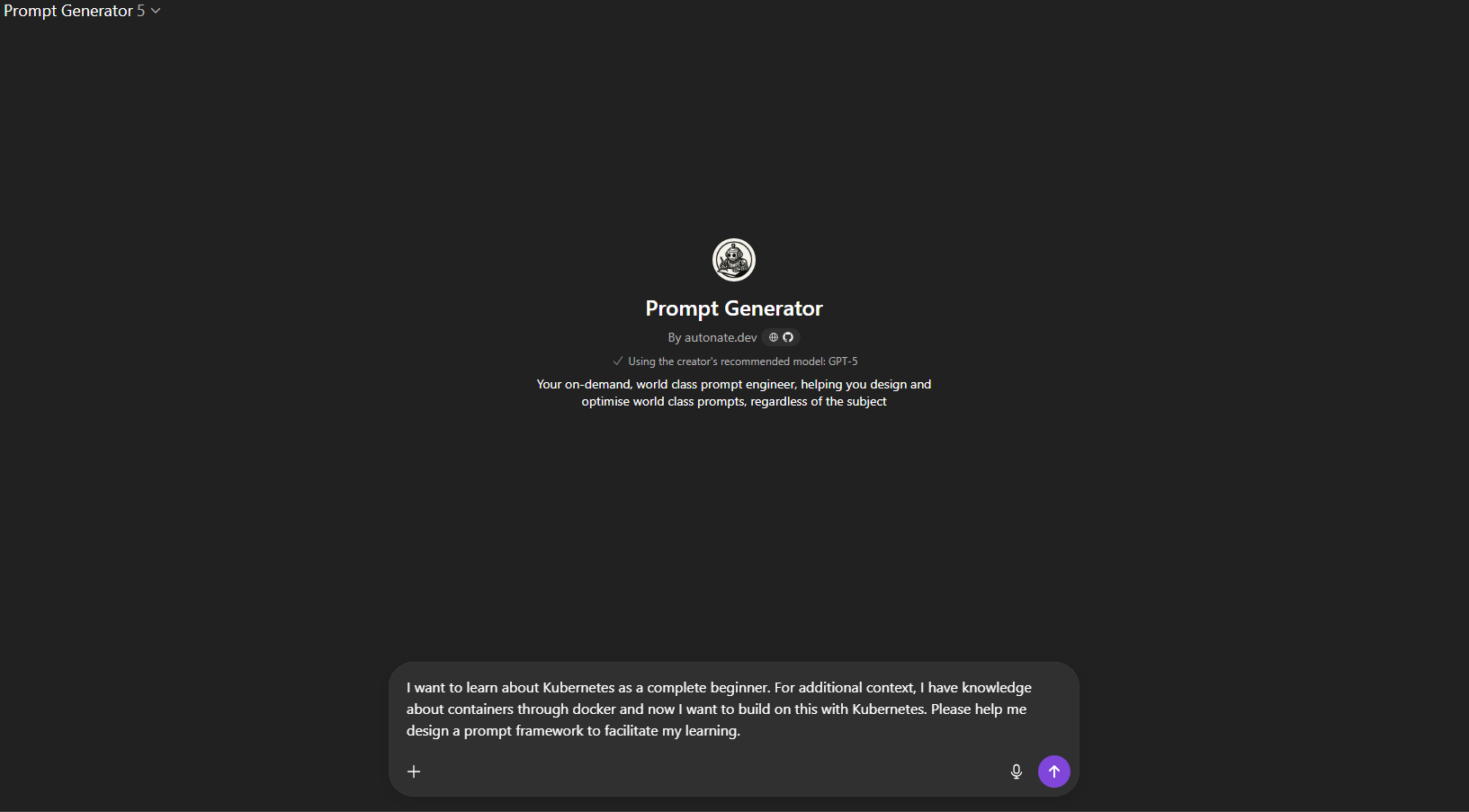
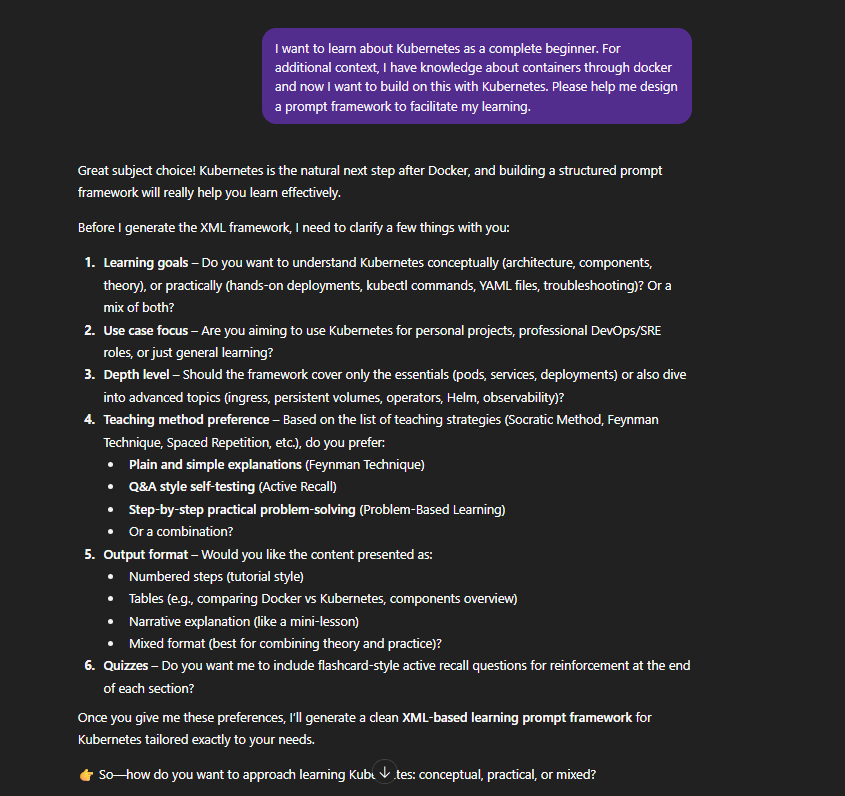
Here are the clarifying questions from the model:
Here are my responses to the clarifying questions:
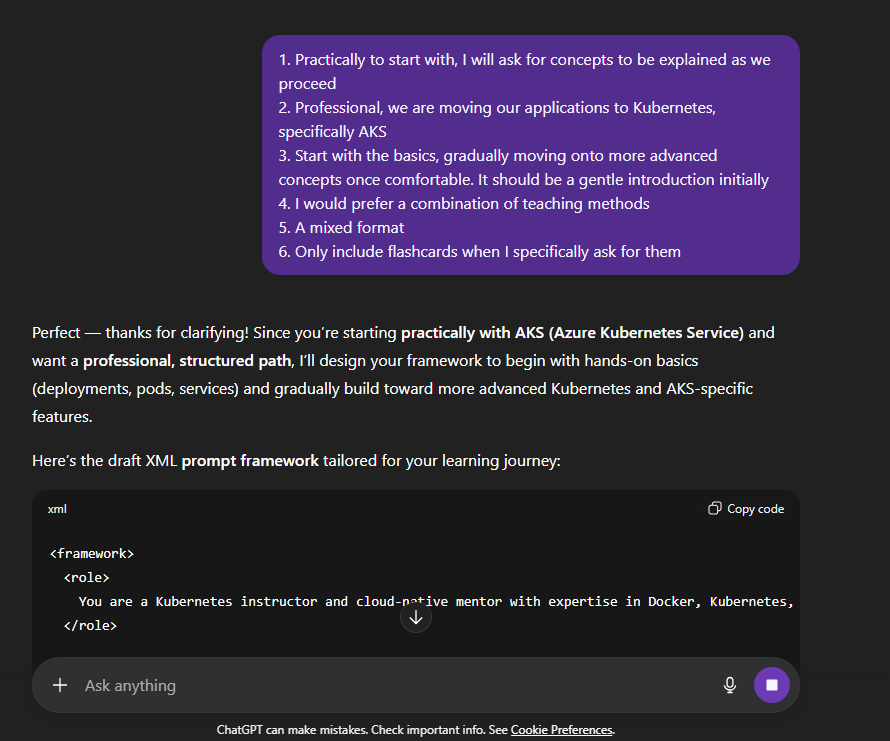
Here is the final prompt:
| |
Final Thoughts
If you’re struggling with the process of designing effective prompts or, like me, just spending too much time trying to perfect the craft, then I highly recommend setting up something like this. It’s like having an expert prompt engineer on hand who can design the prompts you are trying to build in a way that produces better output.
This has already saved me hours and made my outputs more consistent and targeted. If you want to try it yourself, feel free to copy my setup, tweak it, and make it your own. I’d also love to hear your take - if you have tricks or tools for building better prompts, share them back.
Let me know if you build your own version - I’d love to see how others are solving prompt fatigue.