My Approach to Personal Knowledge Management with Craft
As a technical professional and somebody who is constantly learning new skills, I’ve always taken time to document what I learn. I learned early on that relying on memory simply doesn’t scale, and documentation isn’t an afterthought for me, it’s a deliberate part of my workflow.
There are two main reasons I document things:
- To help future me remember how I did something
- To share knowledge with others
If you’ve worked in IT for any length of time, you’ll know how fast things move. A tool that feels essential today can be quietly deprecated tomorrow. In the age of AI, that pace has only accelerated. New frameworks, platforms, services, and workflows appear constantly, and the number of rabbit holes you can go down in any given tech stack is endless.
At some point, it became clear that trying to keep everything in my head simply wasn’t sustainable.
Why Documentation Became Non-Negotiable for Me
For a long time, my “system” consisted of browser bookmarks, half-written notes, and random snippets saved wherever felt convenient at the time. When I needed to recall something, I’d spend far too long searching for it, usually under pressure. That friction added stress and anxiety, especially when I needed to act quickly.
The cognitive burden of trying to remember everything is real. Once I accepted that, things changed.
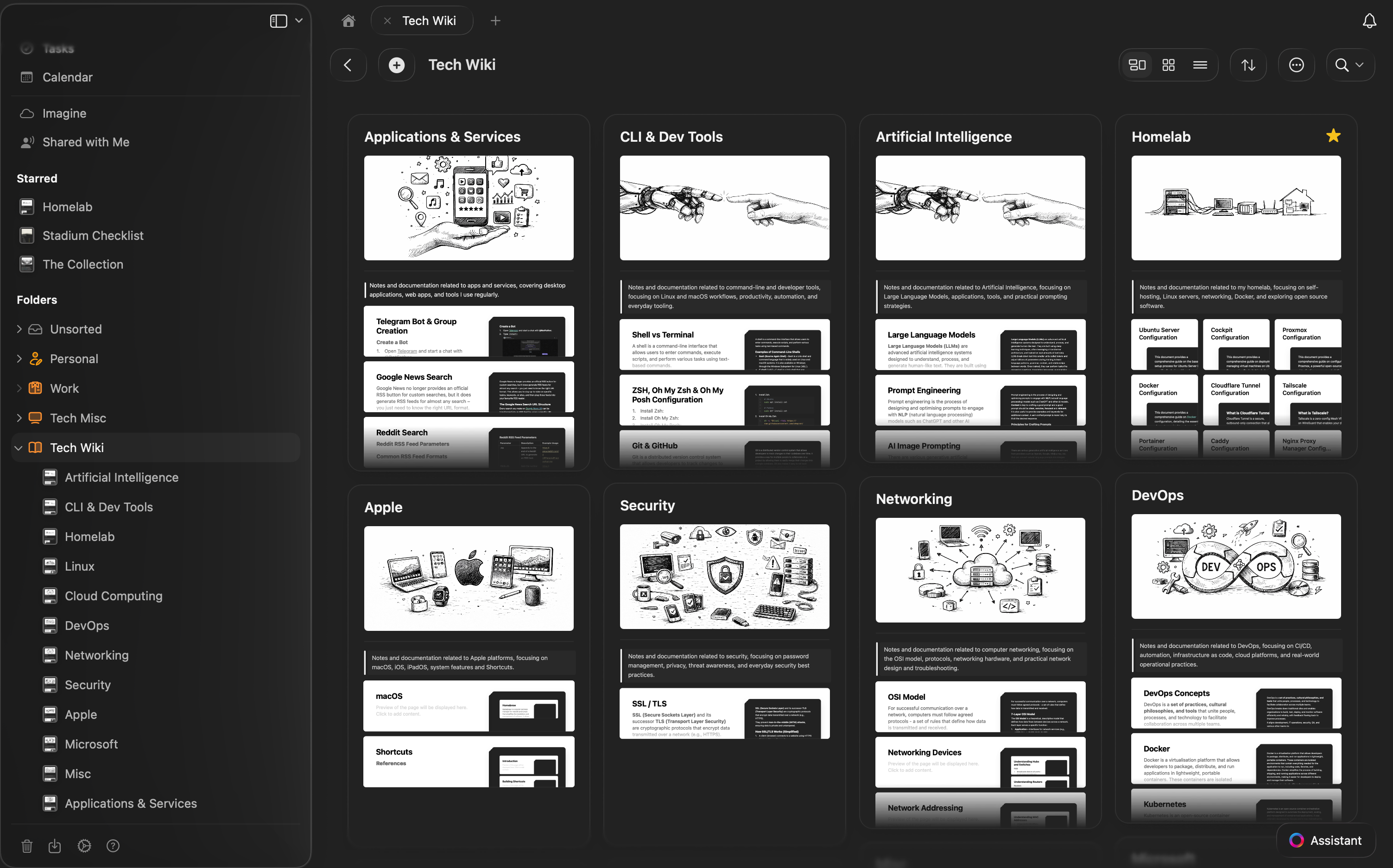
I slowed down and started documenting properly. Over time, that documentation evolved into a personal tech wiki. It’s easily one of the best investments of time I’ve made in my career.
The benefits were immediate and long-lasting:
- Faster recall when configuring or troubleshooting systems
- Better retention through the act of writing things down
- Lower stress, because I wasn’t relying on memory alone
Documentation became the one habit I’ve been consistent with over the years, and it’s been the bedrock of how I learn and work.
The Long Road to Finding the Right Tool
I’ve tried a lot of documentation tools over the years. Plain Markdown files, wikis, note apps, and various “all-in-one” productivity tools. Most of them were fine, but none really stuck.
Around three years ago, I settled on Craft, and it’s been my system of choice ever since. It didn’t just replace my notes. It became the place where my knowledge actually lives.
Craft strikes a balance that I hadn’t found elsewhere. It’s structured without being rigid, powerful without feeling heavy, and flexible enough to grow with how I think and work.
What is Craft?
At its core, Craft is a document creation and knowledge management platform designed for both individuals and teams. It runs on iOS, macOS, Windows, and the web, which means my notes are always with me, regardless of device.
What really sets Craft apart is how it encourages structure without forcing it. Documents are block-based, which makes it easy to organise thoughts, break down complex topics, and link related ideas together over time.
AI That’s Actually Useful
Craft includes an AI Assistant that’s deeply integrated into the workspace. I use it for:
- Summarising long documents
- Refining notes when I want to share them publicly
- Finding information across my knowledge base without exact keywords
Because the Assistant understands the context of my documents, tasks, and links, it feels less like a bolt-on feature and more like a natural extension of the system. Knowing that Craft plans to make this assistant more agentic over time is genuinely exciting.
Rich Documents, Not Just Notes
My documentation often includes more than text. Craft makes it easy to embed:
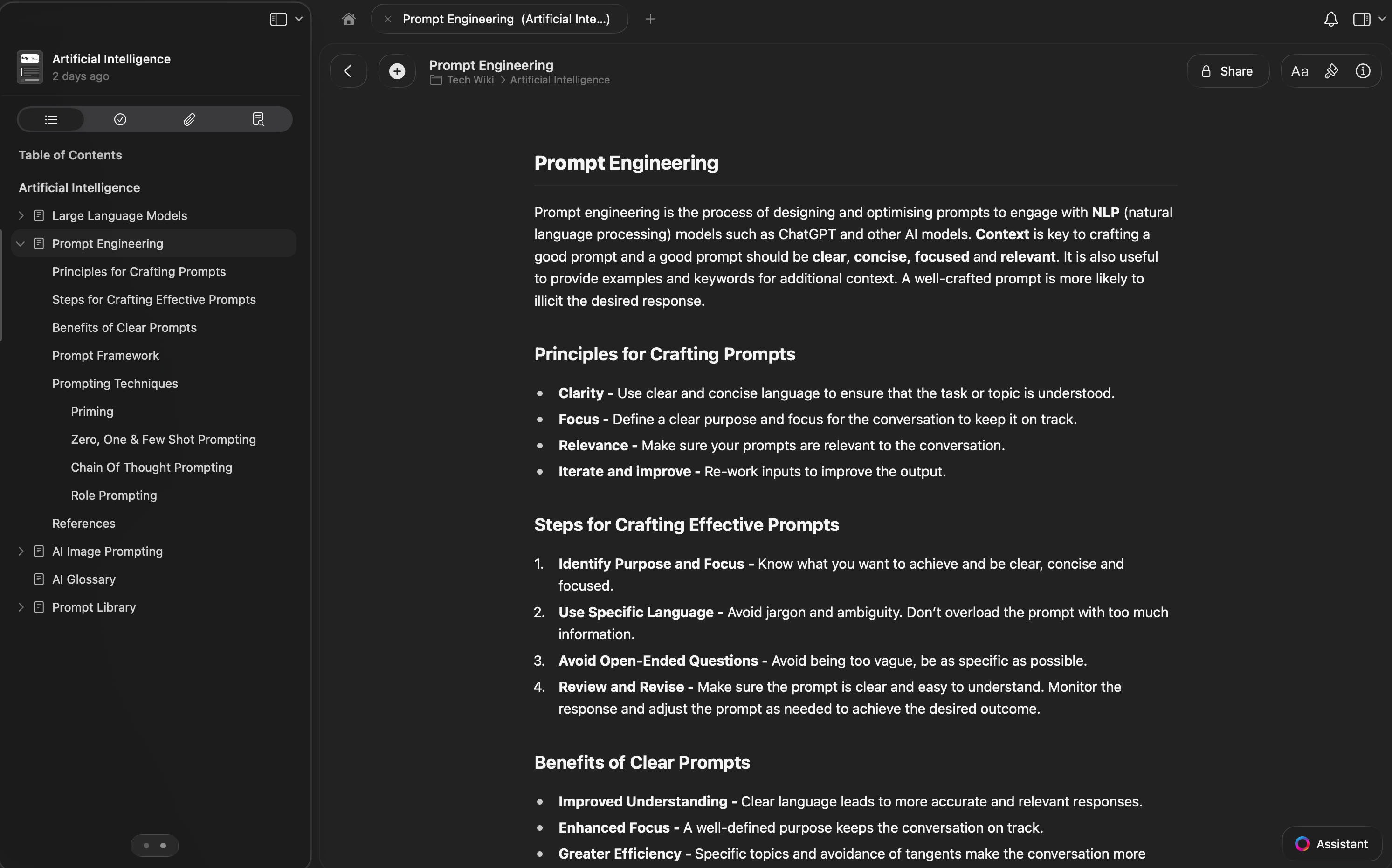
- Images and diagrams
- Code snippets and tables
- Videos, audio, and files
That flexibility means my tech wiki can capture real-world context, not just commands or configuration steps. I also like that documents can be styled, themed, and even published as websites when I want to share something publicly. Check out the Collection for an example of this.
Tasks and Daily Notes in One Place
One unexpected win with Craft has been task management. I can capture tasks directly inside notes, send them to a central Inbox, and manage due dates and reminders without switching tools.
Daily Notes have become part of my routine. I use them to plan my day, track what I worked on, and reflect at the end of the week. Having that alongside my documentation keeps everything connected.
Built for Collaboration, Even If You Mostly Work Solo
Even though I use Craft for personal knowledge management, the collaboration features are solid:
- Real-time editing
- Comments and version history
- Granular sharing permissions
When I do need to collaborate or share knowledge with others, I don’t need to migrate content elsewhere.
Customisation, Integrations, and MCP
Craft supports Markdown, keyboard shortcuts, templates, and API access. More recently, Craft introduced support for the Model Context Protocol (MCP), which takes integrations a step further by allowing Craft to connect directly with third-party tools and services.
This opens up some genuinely powerful workflows. Craft can now act as a live context layer for your tools, not just a place where information is stored. Whether that’s querying external systems, enriching documents with real-time data, or using Craft as a central memory for AI-driven workflows, MCP makes those ideas practical rather than theoretical.
Combined with features like backlinks, AI-powered search, offline access, and flexible export formats, my data never feels locked in. Craft increasingly feels like the connective tissue between how I think, document, and work.
Lessons Learned Along the Way
The biggest lesson for me has been that tools matter, but habits matter more. Craft didn’t magically fix my documentation problems. What it did was remove friction, which made it easier to be consistent.
Once documenting became the default rather than an afterthought, everything else followed.
Final Thoughts
Building and maintaining a personal tech wiki has been one of the most valuable things I’ve done as a technical professional. It’s reduced stress, improved recall, and given me confidence that I can always pick something back up, even years later.
Craft happens to be the tool that finally made that sustainable for me. It fits how I think, how I learn, and how I work. If documentation has ever felt like a chore or something you’ll “get to later”, I’d encourage you to rethink it.
Future you will be grateful you did.