NotebookLM: The Ultimate Learning Assistant
In the fast-evolving world of technology, staying ahead means constantly learning new skills, whether that’s mastering Linux, diving into Docker, or exploring a new cloud service. That hasn’t changed. Reading documentation, exploring blog posts, and watching tutorials are still essential parts of the learning process. What has changed for me is how I bring all of that material together. The tool I use to do that is NotebookLM which has slotted neatly into my learning toolkit, helping me research, retain, and make sense of the information.
In my opinion, NotebookLM is genuinely one of the best AI tools on the market for learning new skills and one of Google’s best products, it really is that good. It provides such an engaging way to learn and retain information and everything is firmly grounded in the sources you provide to it.
The Power of Grounded Learning
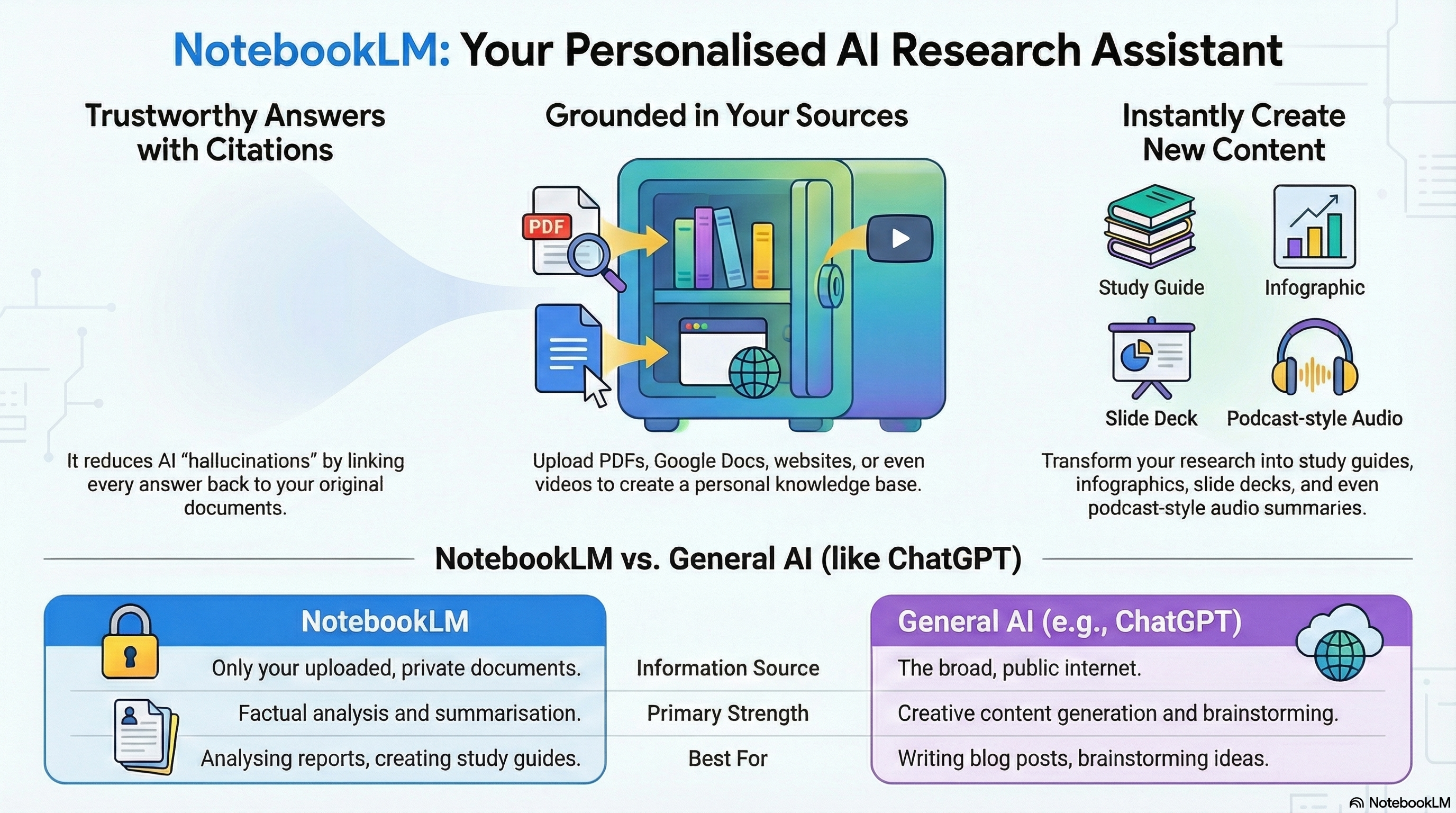
NotebookLM, powered by Google Gemini, functions less like a generic chatbot and more like an intelligent AI research assistant. Its genius lies in grounding, it restricts its answers to the sources you provide, such as documents, audio, or websites. This ensures the output is directly relevant and tailored to the subject you are learning about. Ultimately, it transforms static reference materials into an active thinking partner that you can converse with.
Regardless of the subject, you can upload your own documentation or reference sources on the web, and NotebookLM will ensure that the output is directly relevant to your sources. This grounding is what makes it so useful, however, you should ensure that the source material is of a high quality in order to obtain the best outputs.
My Workflow: Learning New Technical Subjects
When I tackle a new technical subject, my process is now built entirely around NotebookLM
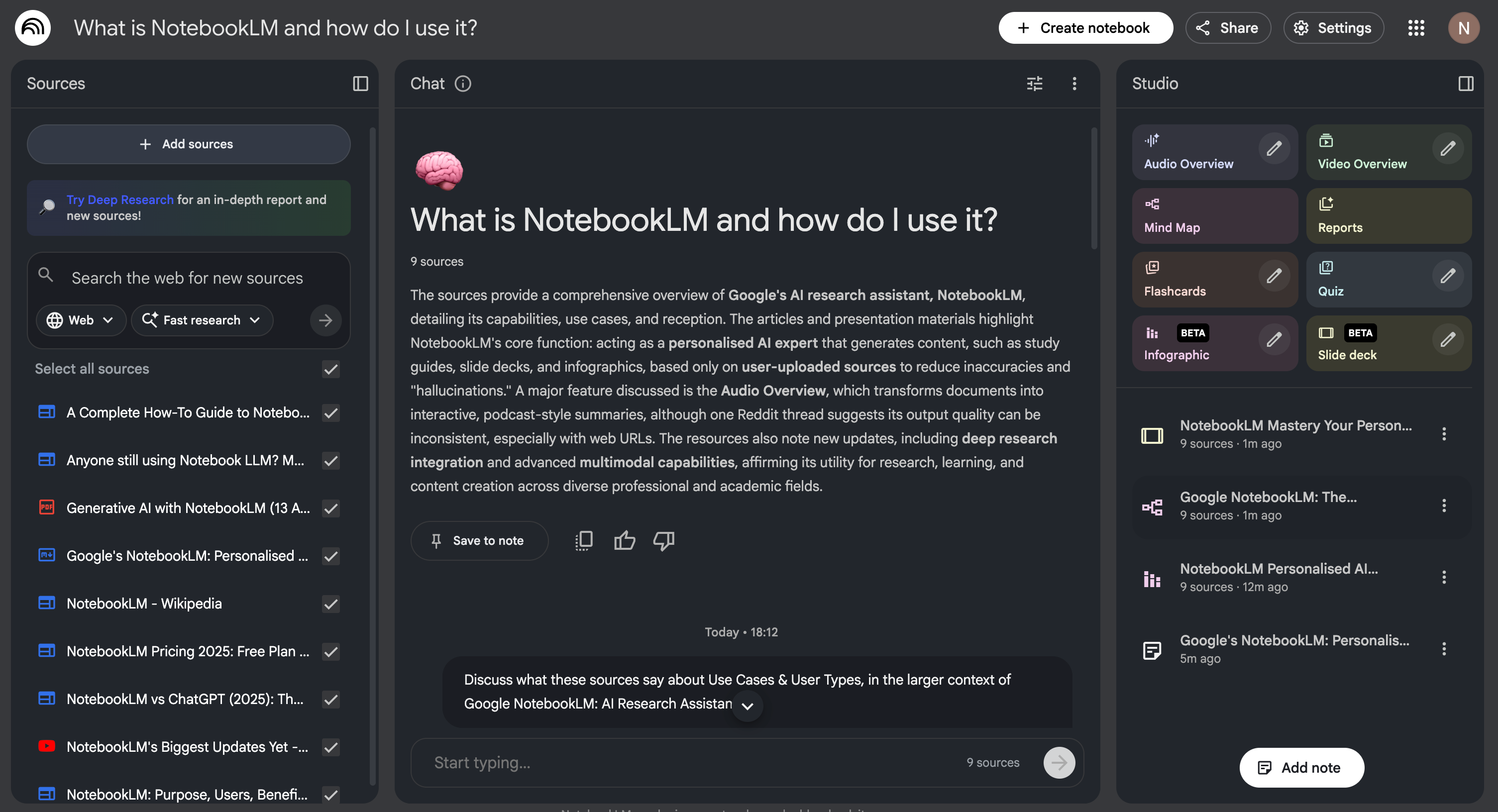
I create a new Notebook and upload my sources, these sources can be anything from PDF’s to websites.
I then start asking questions about the sources, this helps me quickly zero in on key concepts and extract relevant information efficiently.
Next, I leverage the incredible multimodal features to consume the knowledge in different ways, dramatically boosting retention.
Turning Notes into Narratives: Audio and Video Overviews
The evolution of how NotebookLM handles source material is where it truly shines, particularly for someone who prefers auditory or visual learning.
The Audio Overviews feature, which arrived in late 2024, converts lengthy documents into a conversational, podcast-like discussion between two AI hosts. This functionality is fantastic for condensing complex or lengthy documents into accessible audio summaries that I can listen to while on the go. They even introduced interactive Audio Overviews, allowing you to participate in the discussion by asking questions of the AI hosts.
More recently, I have started to use the Video Overview feature, which is an excellent idea. This functionality, introduced in 2025, transforms document summaries into visual slide-style videos, complete with AI narration, diagrams, and structured explanations. I find it extremely useful for grasping complex relationships between concepts.
Enhancing Retention: Flashcards, Quizzes, and Mind Maps
To ensure that the information sticks, I move from consumption to active recall.
While NotebookLM gives you structured explanations, the process of turning those explanations into usable study aids is seamless. I take advantage of flash cards and quizzes to test myself on the key findings and concepts extracted from my source material. For visual learners, new features like Infographics and Slide Decks allow you to visualise your source material, which acts similarly to a mind map by mapping out the relationships between different facts.
This multi-faceted approach to learning and consuming content, asking targeted questions, listening to a podcast form discussion, watching a visual video overview, and then testing myself—has been a great tool in terms of knowledge retention and has definitely helped me learn more efficiently and effectively.
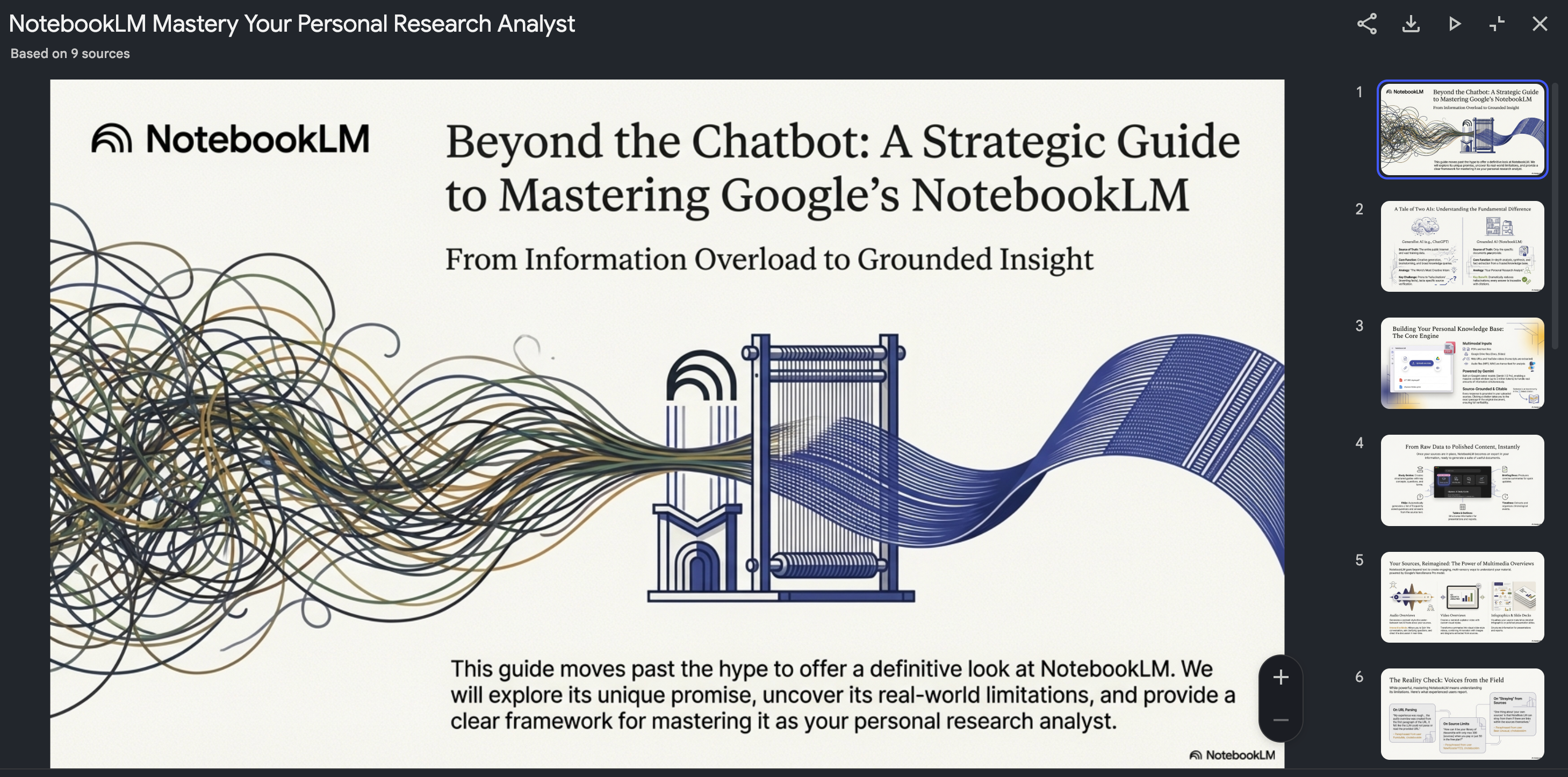
If you want to see a real example of how I use NotebookLM in practice, click on the following link: Explore my NotebookLM example
Who is NotebookLM For?
While I use it primarily for technical learning, the tool has broad applicability. Initially, it was designed for researchers, but it has quickly been adopted by students and companies. For anyone who needs to quickly synthesise a large volume of source material, be it for academic work, professional documentation, or personal curiosity—NotebookLM has you covered.
It is truly like having a dedicated research assistant that handles the complex information analysis, allowing you to focus on learning and applying the insights.
Final Thoughts
For a long time, I assumed effective learning meant pushing through long documents and hoping the important bits would stick. That work is still necessary, but NotebookLM has changed how I work with that material. By keeping every answer grounded in my own sources, it adds a layer of trust and structure that makes the learning process feel far more intentional.
If you’re struggling to keep up with the pace of technological change or finding it hard to organise your research, NotebookLM is well worth exploring. It helps turn collections of documentation into something you can actively engage with, making learning feel less like passive consumption and more like a process you’re in control of.